Real Time D365 Label Printing for Warehouse and Production

In warehouse and production environments, timing matters. A label often needs to print the moment inventory is received, a license plate is created, a production order is reported as finished, a container is packed, or a shipment is prepared.

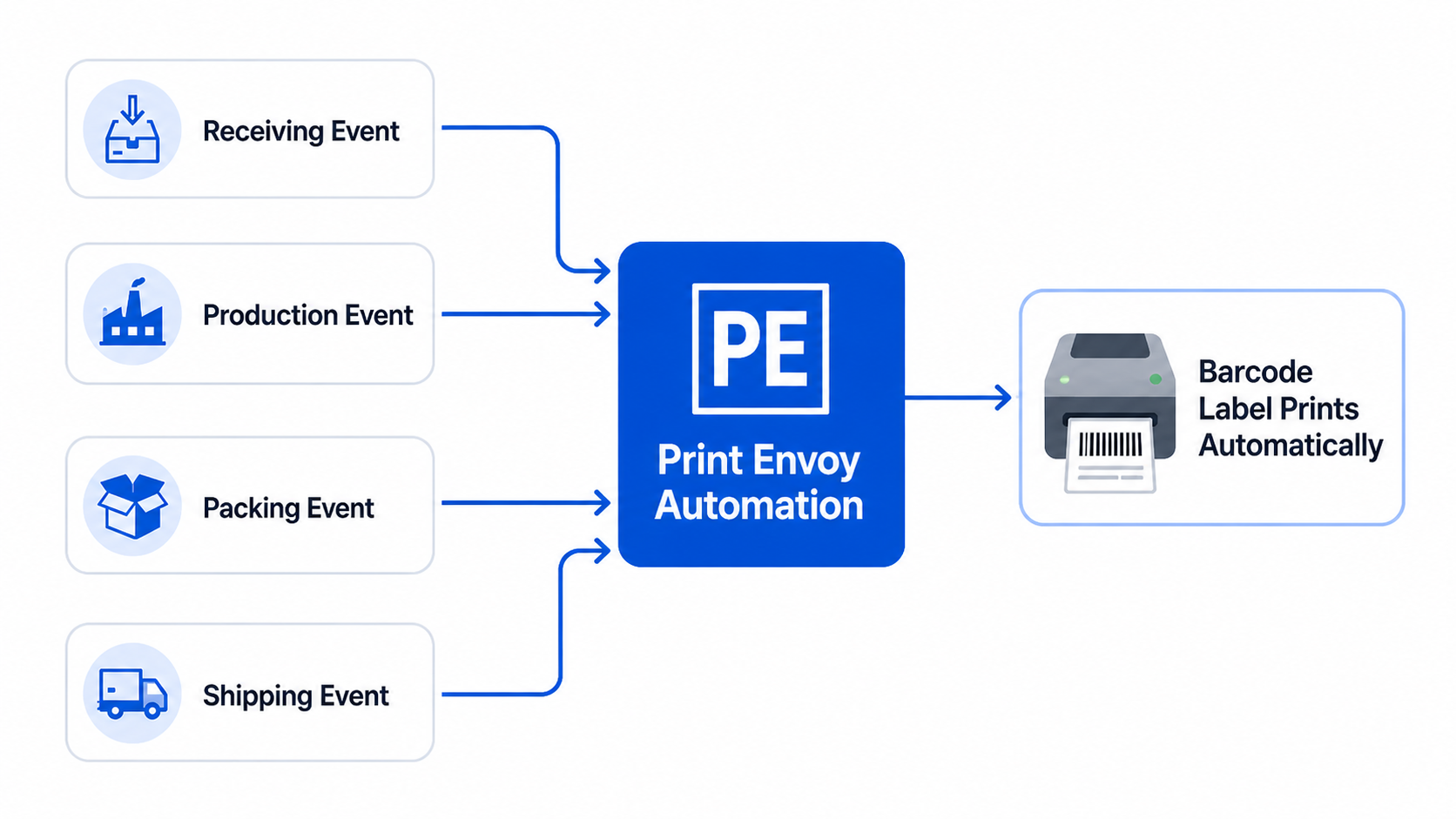
Print Envoy helps automate D365 label printing by connecting label output to workflow events, so users can spend less time managing print steps and more time completing the work in front of them.

D365 label printing automation triggered by receiving, production, packing, and shipping workflows

Manual Printing Slows Down Fast Moving Operations

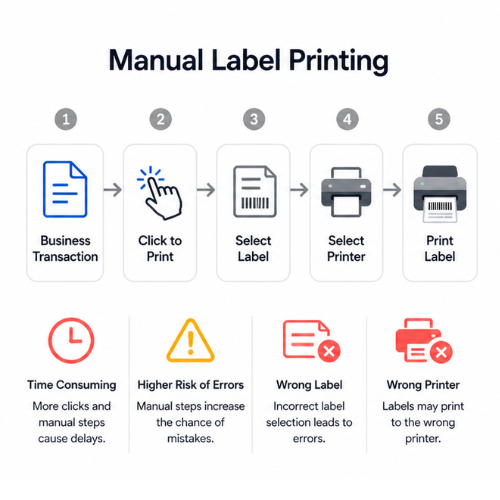
Manual label printing workflow showing extra user steps such as clicking print, selecting a label, choosing a printer, and printing the label, with delay and error risks.

Manual label printing may work when volume is low. But as transactions increase, every extra click becomes a delay. Users may forget to print, choose the wrong label, send output to the wrong printer, or wait until several labels need to be corrected.

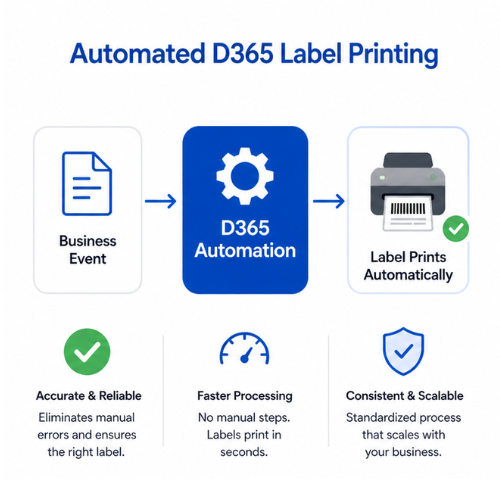
Automated D365 label printing workflow showing a business event triggering automation so barcode labels print automatically with fewer manual steps and fewer errors.

Automated D365 label printing helps reduce those small delays by tying label output to the business event. When the workflow creates the need for a label, the print process can begin without forcing the user to manage every step manually.

What Real Time Label Automation Means

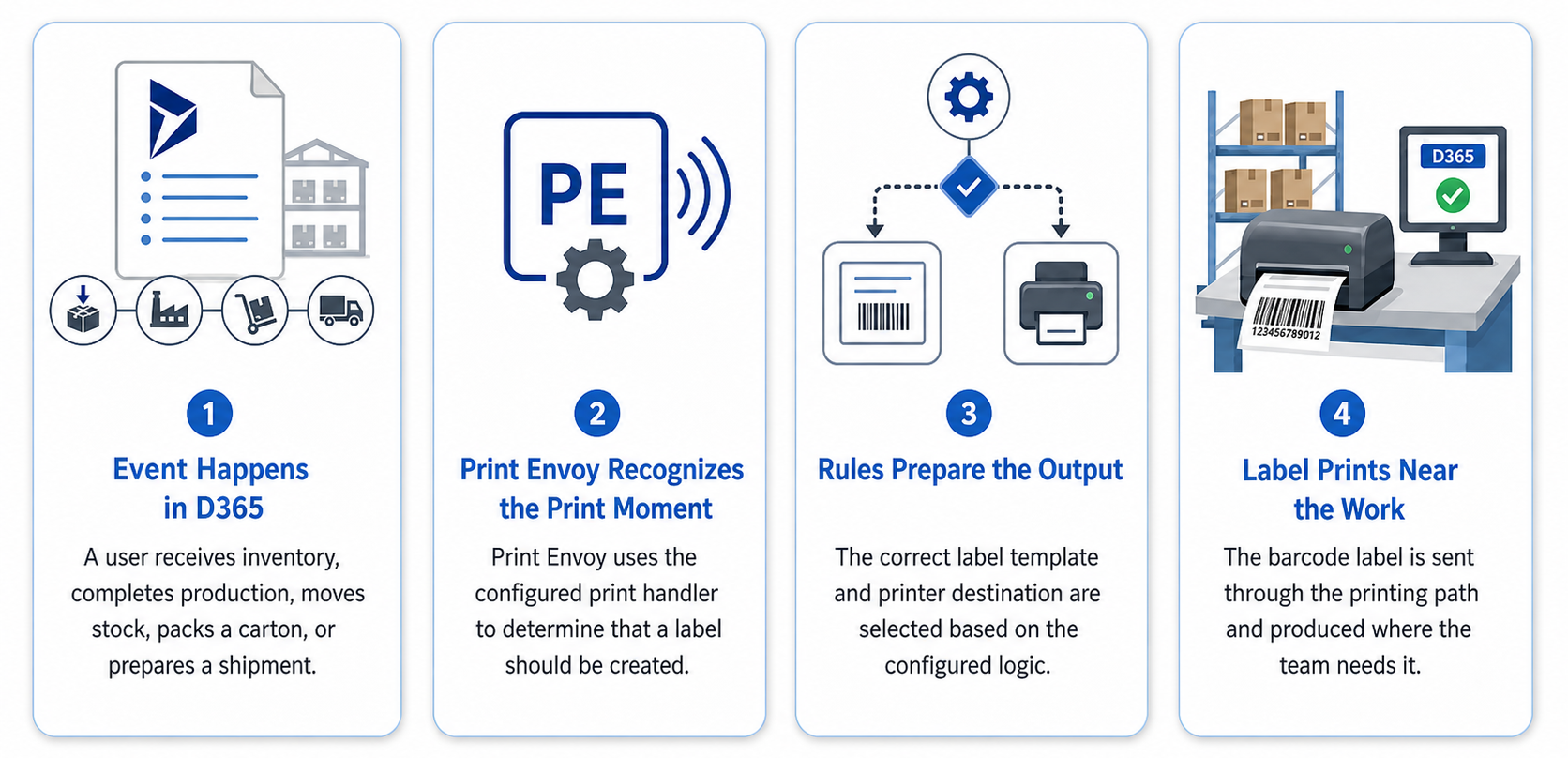
Real time automation means the label printing process is connected to what is happening inside Microsoft Dynamics 365.

D365 Label Printing Four-Step Process

Automated Printing vs User Initiated Printing

This page should explain both clearly because people may search for automatic label printing but still need manual print options.

 
Printing Method How It Works Best Use Case
Automated Printing A D365 event triggers the print process High volume workflows where labels are always needed
User Initiated Printing A user clicks a print button when needed Ad hoc labels, reprints, exceptions, and controlled manual printing
Conditional Automation A label prints only when certain conditions are met Customer labels, compliance labels, special item labels, or warehouse specific output

Automate D365 Label Printing at the Moment Work Happens

Download this one-page summary to review how real time label automation can help D365 warehouse, production, packing, shipping, and transfer workflows print the right label when the business event occurs. The full book expands on event-driven printing, workflow triggers, reduced manual decisions, and scalable barcode printing automation for Microsoft Dynamics 365.


Powered by Nextworld

Print Envoy is developed by a specialized team within Cloud Inventory®, the same organization behind ScanWorkX and other enterprise solutions. Our Print Envoy experts are fully integrated into Nextworld’s mission of pushing the boundaries of ERP innovation and automation. Want to explore our full suite of offerings? Visit CloudInventory.com to learn how Cloud Inventory is transforming business operations across industries.

Our Companion Product

Stay Updated
Subscribe to our newsletter for the latest updates and insights on Print Envoy.

© 2026 Print Envoy. All rights reserved.