Intelligent Print Logic for D365 Label Printing

Stop guessing which label should print - Let the workflow decide

Intelligent Print Logic

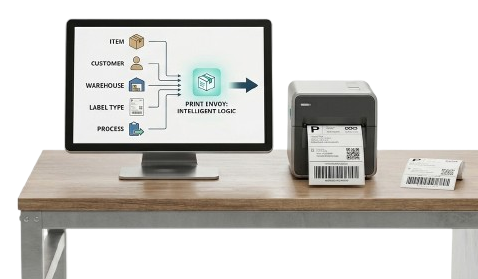
In a busy warehouse or production environment, label printing should not depend on someone remembering which template to choose or which printer to select.

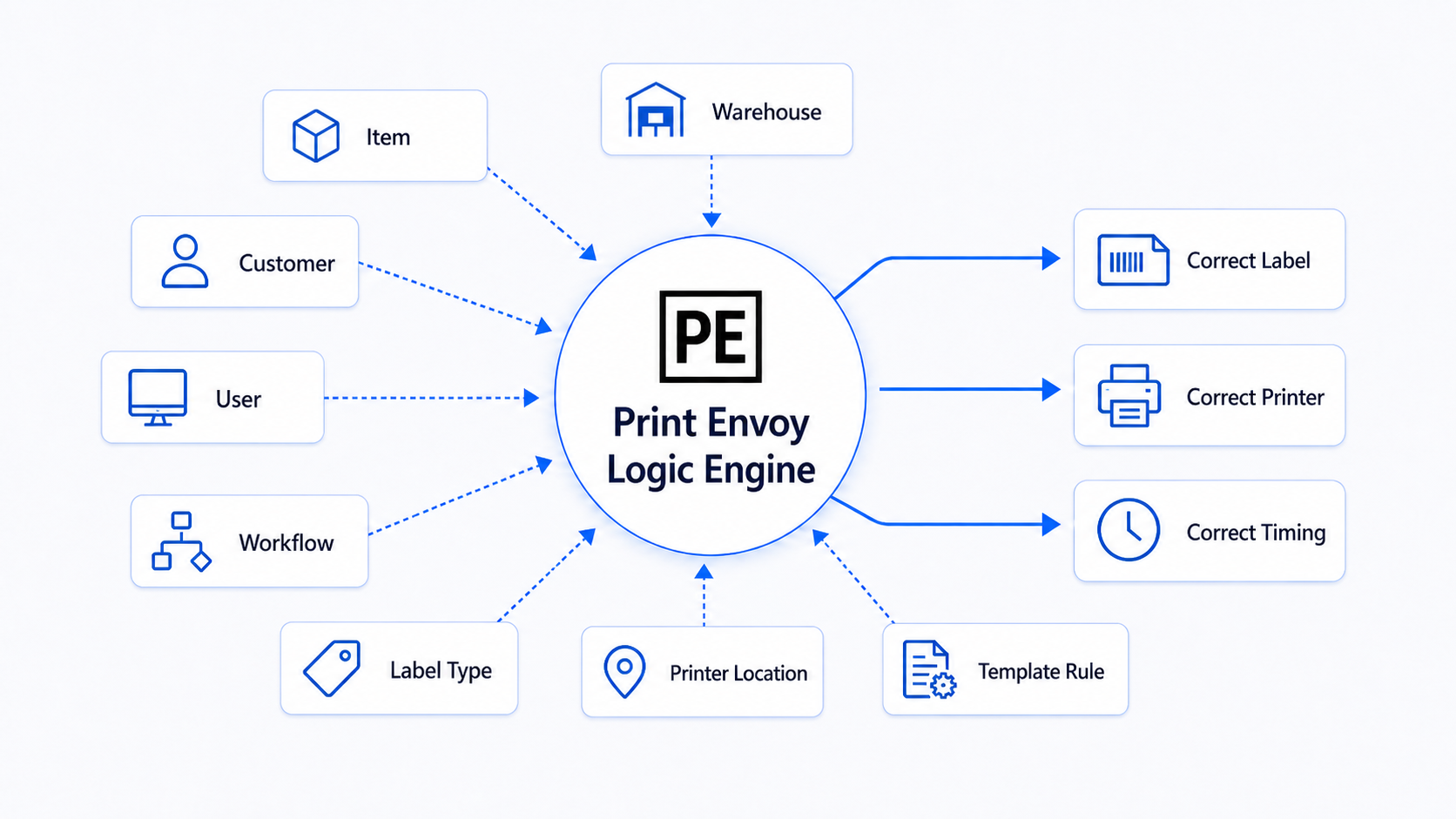
Print Envoy adds intelligent print logic to Microsoft Dynamics 365 label printing, so labels can be selected and routed based on the actual transaction. The item, customer, warehouse, user, workstation, label type, and business process can all help determine the correct output.

D365 Label Printing Logic Graphic

Label Printing Gets Complicated When the Rules Live in People’s Heads

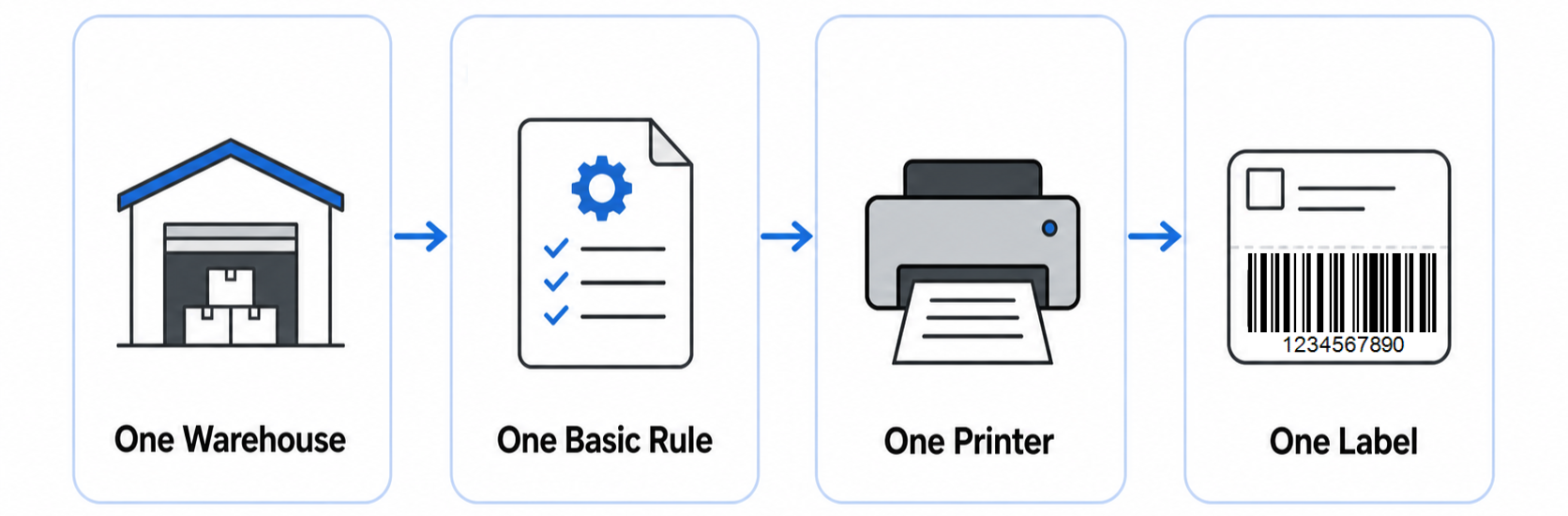
Many companies start with simple label printing:

simple label printing

But as the business grows, label requirements become more complex. Different customers, items, warehouses, production lines, and shipping needs may all require different label formats or printer routing. At that point, label printing becomes more than a print button. It becomes a decision. Print Envoy helps turn those decisions into configurable D365 print logic.

Smarter Label Printing Logic for Microsoft Dynamics 365

!
Manual Process

Before Print Envoy

  • Users may need to choose the label template manually.
  • Warehouse teams may need to remember which printer to use.
  • Production users may need to reprint when the wrong label format appears.
  • IT may need to maintain too many one-off routing rules.
  • Customer-specific labels may require special handling outside the normal workflow.
Configured Logic

With Print Envoy

  • Print logic can be configured around the transaction.
  • Template rules help determine which label format is correct.
  • Printer rules help route labels to the correct output location.
  • Label behavior becomes easier to understand, maintain, and expand.
  • Teams can support more label scenarios without turning every new requirement into a custom project.

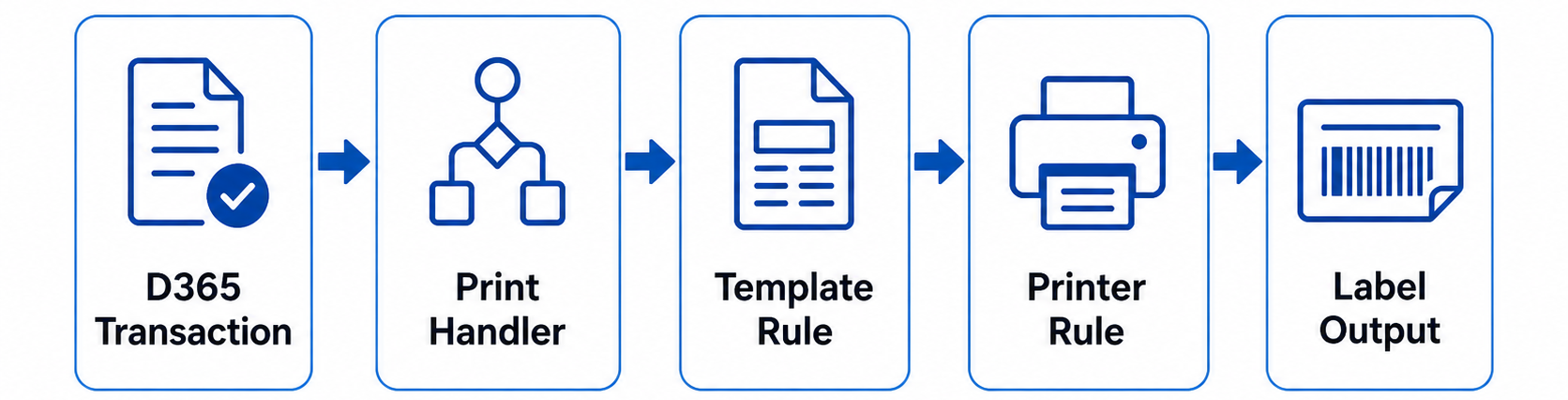
The Print Envoy Logic Flow

Flowchart of D365 Transaction moving through Print Handler, Template Rule, Printer Rule to Label Output

Use Intelligent Print Logic for Better D365 Label Printing

Download this one-page summary to review how intelligent print logic can help D365 label printing use business context, transaction data, template rules, printer rules, and workflow events to produce the right label automatically. The full book expands on rule-based print intelligence, event-driven control, conditional label decisions, and scalable barcode printing architecture for Microsoft Dynamics 365.


Powered by Nextworld

Print Envoy is developed by a specialized team within Cloud Inventory®, the same organization behind ScanWorkX and other enterprise solutions. Our Print Envoy experts are fully integrated into Nextworld’s mission of pushing the boundaries of ERP innovation and automation. Want to explore our full suite of offerings? Visit CloudInventory.com to learn how Cloud Inventory is transforming business operations across industries.

Our Companion Product

Stay Updated
Subscribe to our newsletter for the latest updates and insights on Print Envoy.

© 2026 Print Envoy. All rights reserved.